Manual Installation
Machine setup
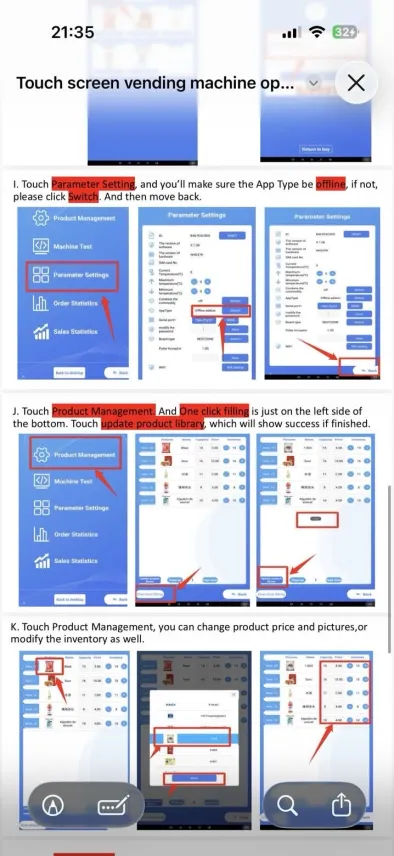
Open the vending application and verify offline mode.
Return to sales mode
- Touch the round button at the bottom middle of the screen.
- Open Application.
- Touch the vending machine icon named BESZTONE or 自动售货机.
- The machine returns to sales mode.
自动售货机 is the label used for the vending machine app.
Verify offline mode
In the administrator panel:
- open Parameter Settings;
- make sure App Type is set to offline;
- if not, touch Switch;
- go back.