Manual Installation
Products, prices and stock
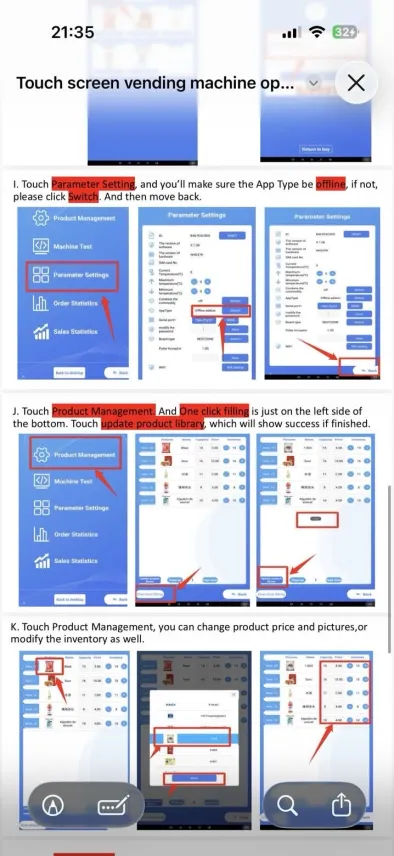
Update the product library and adjust product settings.
Update the product library
- Open Product Management.
- At the bottom-left, touch One click filling.
- Touch Update product library.
- Wait for the confirmation message.
Edit a product
In Product Management, you can change:
- product picture;
- price;
- stock;
- product information;
- slot or channel depending on the machine interface.